Hall of Fame

Students from Texas recognized at school, district, and state levels.

These students didn't just build projects. They designed complete robotics systems and presented them at science fairs, school competitions, and district programs.

From concept to execution, they worked independently on real-world problems, showcasing skills in electronics, programming, and system design.
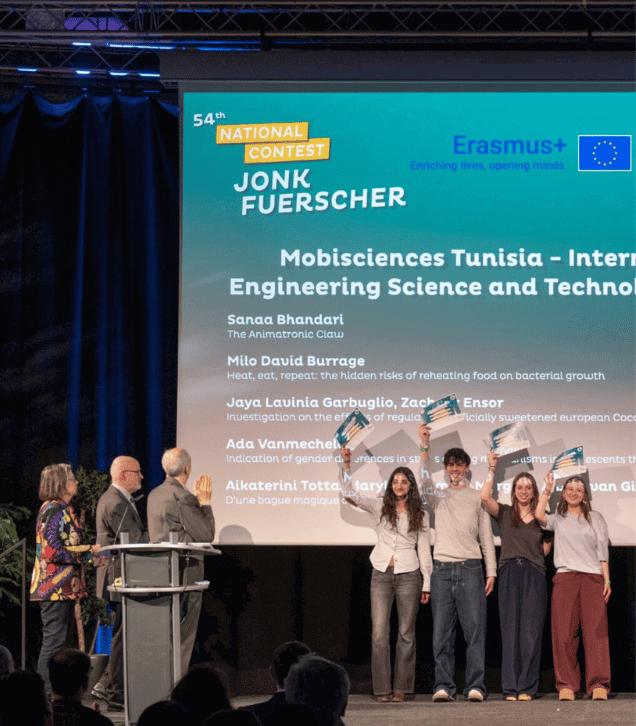
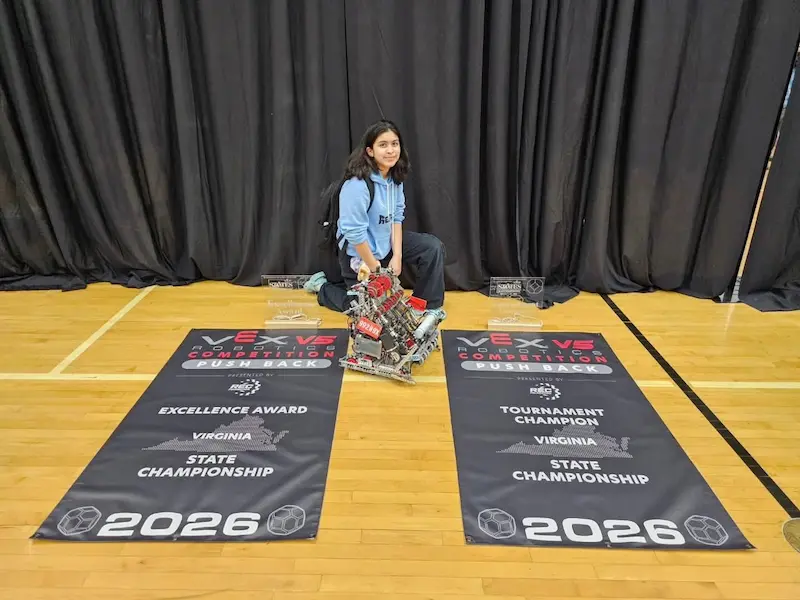
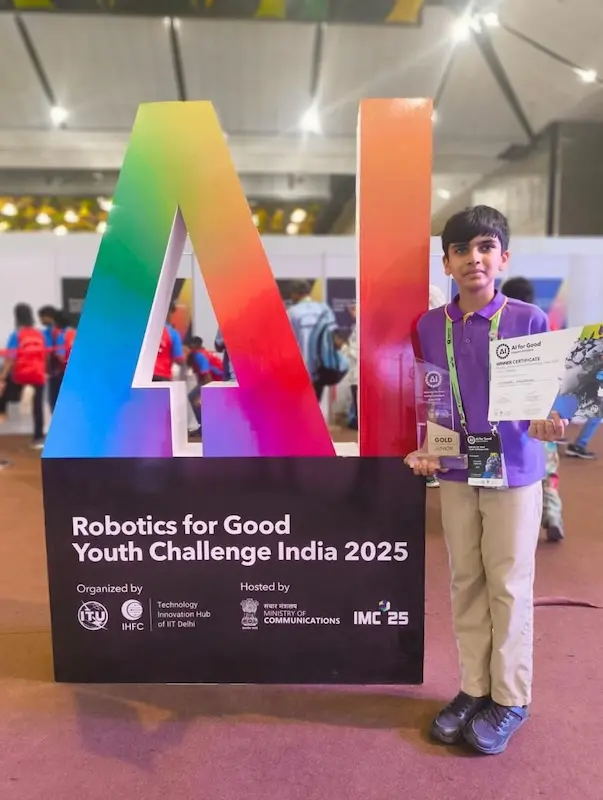
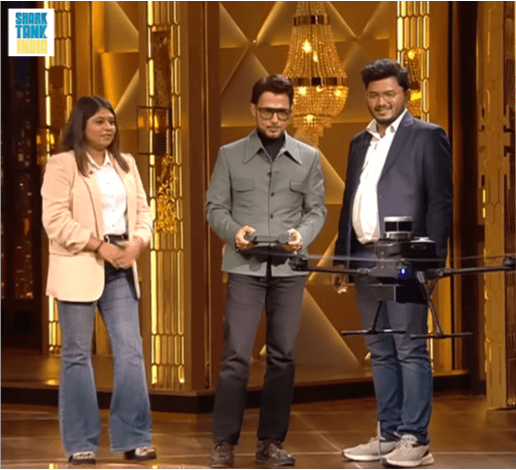
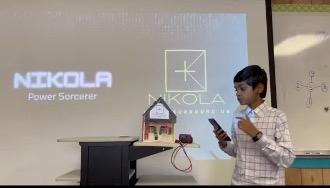
Playto Labs student Sujith M won his school's Shark Tank competition in Austin, Texas, USA

Sujith M

Austin, Texas

Won his school's Shark Tank competition for presenting his innovation, Nikola.

Built a fully functioning prototype at a young age.

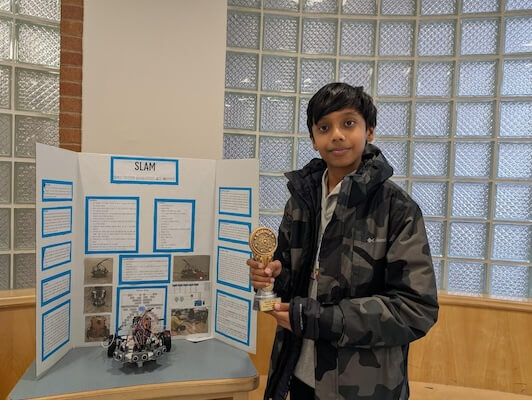
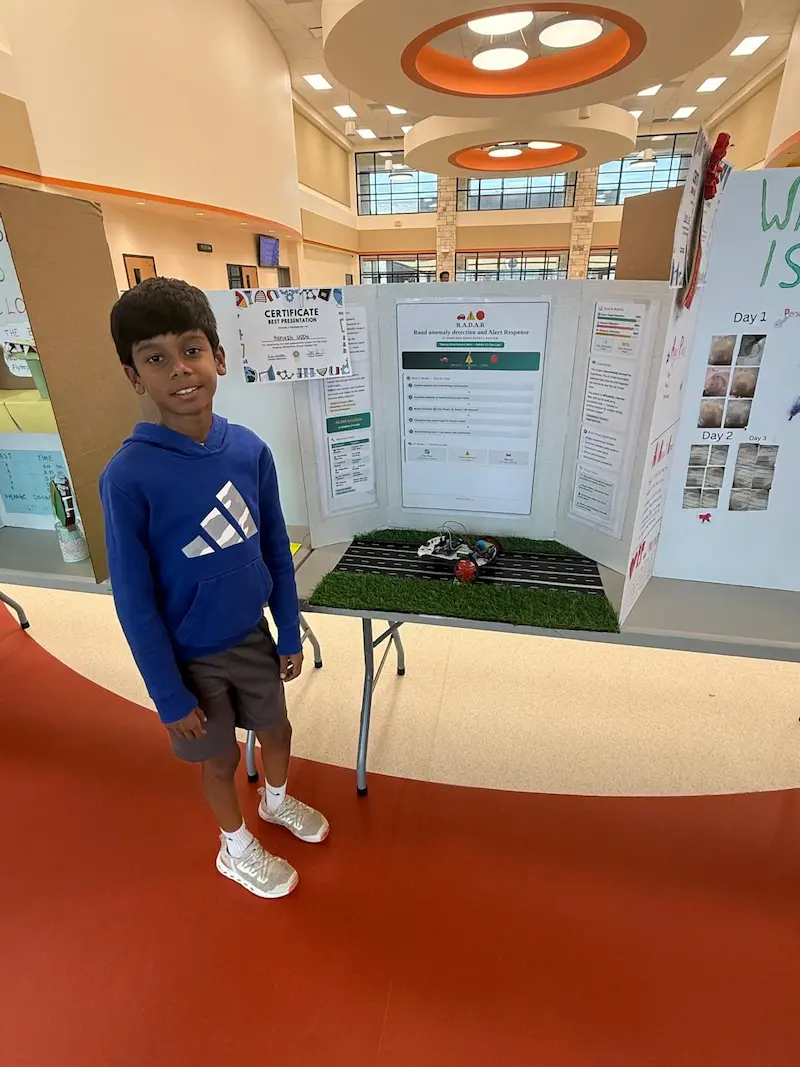
Playto Labs student Hanush Uppu won Best Presentation Award at school science fair in Frisco, Texas, USA

Hanush Uppu

Frisco, Texas

Won the Best Presentation Award for his Robot that detects debris on the roads and prevents accidents.

Built a functioning project blending robotics and AI.

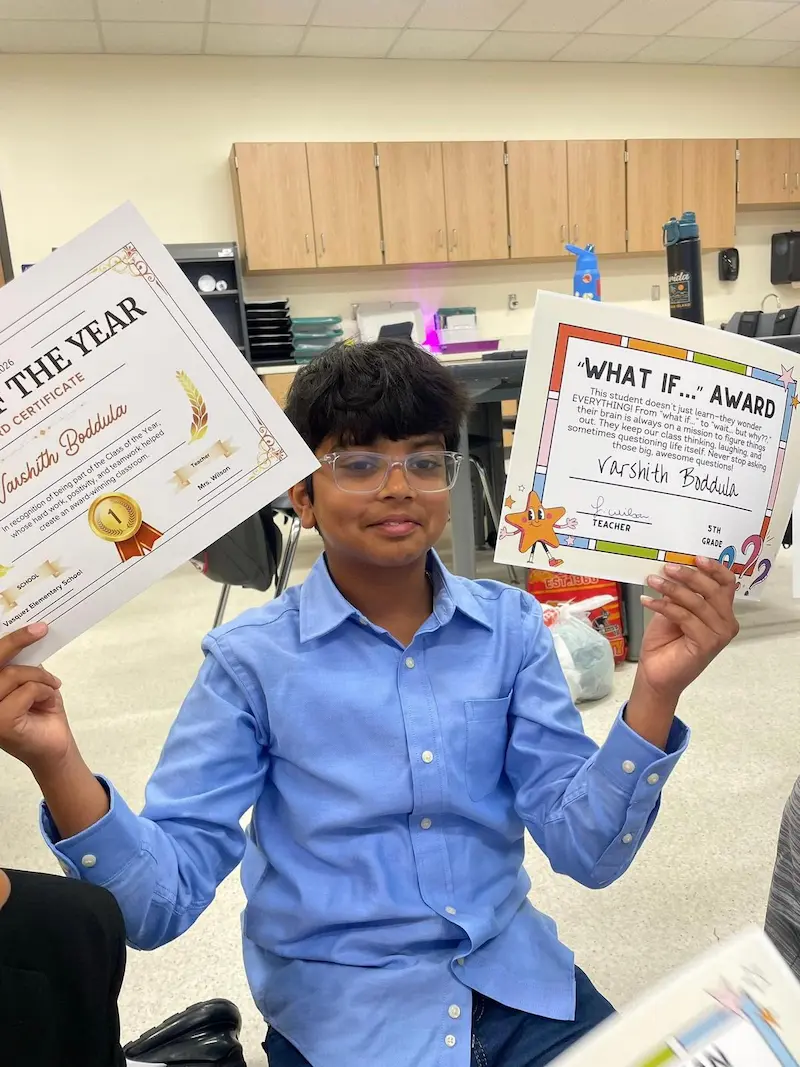
Playto Labs student Varshith Boddula won What If Award and Student of the Year recognition in Celina, Texas, USA

Varshith Boddula

Celina, Texas

“What If…” Award &
Innovator of the Year Award

Outstanding creativity, curiosity, and classroom leadership.

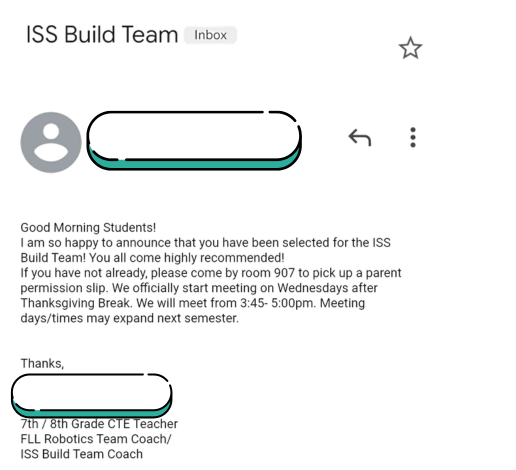
Playto Labs student Bhumika P selected for ISS Build Team in Plano, Texas, USA

Bhumika P

Plano, Texas

Selected for her district's ISS Build Team after presenting her Robotic Arm project.

Chosen for her strong thinking and skills.

Expert's Pick

Dusty

Shubham Singh Cedar Park, Austin Member Since: 2025

When someone calls the trash can with their voice, Dusty will head towards them, so they can throw trash without effort.

A smart dustbin for people to use at home / office. In our day to day life we used dustbin multiple times and every time we have to walk to dustbin. Now my smart dustbin- DUSTY, will come to you and you can throw your trash.

Expert's Pick

Mentor feedback

What impressed us about Shubham’s project was not just the technology, but the originality of the idea. A dustbin that comes to you when called is a creative application of robotics that makes a routine task easier and more convenient. This ability to identify everyday problems and solve them through technology is what makes this project an Expert Pick.

Expert's Pick

Object Following Robot

Sujith Muthyala Leander, Austin Member Since: 2023

The Object-Following Robot is an autonomous robot that moves in response to objects placed in front of it. It follows an object forward, turns left when the object is on the left, and turns right when the object is on the right. LEDs indicate the robot's movement direction, and a red LED signals when it stops.

1. Can be used for automated shopping carts that follow customers. 2. Helps in robotic assistants that follow users in homes or hospitals. 3. Useful in warehouse automation for material transport.

Expert's Pick

Mentor feedback

While many students build object-following robots, Sujith stood out through his attention to detail. Thoughtful additions like the rear red LED show that he was thinking beyond the core requirements and focusing on creating a more complete and polished solution. This mindset of going beyond what is asked is a hallmark of engineering excellence.

Fan Favorites

Top 5 most-loved projects, voted by the Texas robotics club community

1

Smart Street Light

Terry Song - Edinburg, McAllen Member Since: 2026

This project is a Smart Street Light system using an IR sensor and pulse delay module. While the timer is counting down the light’s behavior changes depending on the modes.

2

Automatic car wash

Shviti Chilakapati - Lewisville, Dallas Member Since: 2024

The Automatic Car Wash is designed to provide a quicker, more efficient, and cost-effective alternative to manual car washing. This system is gentle on the car’s surface, preventing scratches or spots that are common when washing a car by hand. By automating the washing process, it saves time and money, offering a more reliable cleaning solution.

3

Home Automation

Leon - Georgetown, Austin Member Since: 2023

This project enables remote control of home appliances using a Bluetooth-connected mobile app. The system allows users to turn lights and buzzers on or off through their smartphones.

4

Rescue Robot

Mia - Houston Member Since: 2024

This project is a robot that can help in rescue operations

5

Automatic Touchless Water Dispenser Using IR Sensor

Tarsh Gurnani - Plano, Dallas Member Since: 2024

This project is about building an automatic water dispenser that pours water when your hand is detected near it—without touching anything. It uses an IR sensor to detect the hand and a water pump to dispense the water. The idea is to stay hygienic and avoid touching taps or buttons, especially in places where many people use the same dispenser. The system is powered by two batteries and controlled using a motor driver module and a sensor base.

These are not school assignments.

These are real systems kids built from scratch with their own ideas and imaginations. Most of these students had zero experience before starting robotics classes with Playto Labs.

If your child enjoys building things like this, they can start with guided robotics sessions at home. Book A Free Trial Class to see how Playto Labs programs work.

Rising Stars - Projects that are gaining momentum

Projects that are quickly gaining attention and recognition in the community.

Vidhan's Line Following Robot @Playto Labs

Vidhan Agarwal - Leander, Austin Member Since: 2025

The Line Following Robot is an autonomous robot designed to detect and follow a path, typically a black line drawn on a white surface. These robots are commonly used in robotics competitions, cars, and simple automation tasks.

Automatic street light vehicle detection movement

Adarsh - Trophy Club, Dallas Member Since: 2024

Using hardware coding I have made an automatic street light vehicle detection movement. I used some black paper and yellow paper to demonstrate a road and used tape to act as glue for modules to stay. How this works is when the car passes the road the IR sensor detects movement and the light sensor detects the light from the car giving power to the light module which acts as the street light. That is how I made an automatic street light with vehicle detecting movement.

Keyboard-Controlled Robot

Aditya Abhilash - Katy, Houston Member Since: 2025

This is a keyboard-controlled robot that is driven with WASD and Space. It uses the DC Motor paired with the Motor Driver to spin the tires. The Digital Pins are used to control when and how the wheel spins, which work together to make movement.

The Object Following Robot - Submission for Playto Labs RoboCap League

Ahaana Chauhan - Plano, Dallas Member Since: 2025

This project's primary purpose is to follow/mimic the direction of the object in front of it. For instance, if the object goes left, then the car will mimic that action and also go left.

Automatic Street Light

Shreyansh Murarka - Katy, Houston Member Since: 2024

Light sensor in day senses daylight and turns off light, and in dark when no light light turns on so cars can see at night

Automatic Water Dispenser

Riyanna - Spring, Houston Member Since: 2023

This project is an automatic water dispenser that detects a hand using an IR sensor and releases water accordingly. It is designed to be a mini sink that conserves water by allowing users to reuse the collected water.

Start Building

Learn the skills and build your own projects

Students who want to build stronger robotics projects can begin with Playto Labs live 1:1 robotics classes. Kits are delivered to homes across Texas, and mentors guide children from basics to more advanced builds.

Beginner-friendly

Kids can start with motors, sensors, simple logic, and guided hands-on builds.

Project-based

Students learn by wiring, coding, testing, debugging, and improving real systems.

Competition-ready

Advanced learners can build portfolio projects and prepare for showcases or competitions.

Real Skills. Real Achievements. Globally.

Playto students applying robotics skills on school, national and global platforms.

These are selected highlights from a much larger community of students consistently building and applying their skills.

Students from Texas who join our robotics classes learn through the same structured curriculum, hands-on projects, and mentorship that have helped these students achieve at national and global levels.

See More Student Achievements

Why Texas

Young builders across the Lone Star State

From Dallas and Houston to Austin, San Antonio, and surrounding communities, Texas students are building robots, learning with live mentors, and sharing projects on this club page.

Featured builds highlight how kids move from curiosity to working prototypes, with electronics, coding, and real-world problem solving along the way.

  • Student projects from across Texas
  • Mentor picks and community favorites
  • Inspiration for your next robotics build
  • Pathways from beginner projects to competitions

Students across Texas

Young builders in Texas

The Texas Robotics Club is a Playto Labs community page for student builds across the state. Browse featured projects for peer inspiration and see how young makers in Texas are approaching robotics, coding, and real-world problem solving.

FAQs - Texas Robotics Club

Texas Robotics Club is a community page where kids and families across the state can explore real student robotics projects, competition stories, mentor picks, and builder highlights from Texas.

Whether you are in Dallas, Houston, Austin, San Antonio, or a smaller town in between, the goal is the same: help young makers see what peers are building and feel excited to start (or level up) their own projects.
Yes. You will see simple school science fair builds alongside more advanced district and competition-level work. Beginners can learn from older students, and experienced builders can pick up new ideas for their next prototype.

Every featured student started somewhere. This page is meant to make that starting point feel reachable, not intimidating.
Most families start with structured, hands-on learning: a personal robotics kit at home, live mentor support, and projects that grow in complexity over time. That is how many Texas students on this page moved from early curiosity to science fair wins, school showcases, and district programs.

Explore live online robotics classes for kids
Yes. Students can share what they built, the components they used, and what they learned. Strong submissions may appear as mentor picks or on this Texas Robotics Club page.

If your child is a Playto Labs student, they can upload a project through the Playto Labs portal. If not, send project details to info@playtolabs.com. Our team reviews submissions and features eligible work here when it fits the community showcase.
Yes. Students join from public schools, private schools, and homeschool setups across Texas. Many share a strong interest in STEM, robotics, coding, and invention.

Building and documenting real projects also helps students strengthen extracurricular profiles for magnet programs, scholarships, and college applications.
Projects are submitted to the club and reviewed by mentors and community reviewers. Multiple reviewers look at each submission to keep the process fair.

Projects that score well are more likely to be featured. To improve your child's chances, encourage them to:
  • Solve a clear real-world problem
  • Build something original, not just a kit copy
  • Demonstrate the project on video or in person
  • Explain their design choices and debugging process
  • Write a clear, thoughtful project description when submitting
Yes. Structured summer programs help Texas kids get started quickly or go deeper on advanced builds during break. Online options work well for families who do not want long commutes across metro areas.

View robotics summer camp programs for kids
Yes. Playto Labs offers structured robotics summer camps for kids in major Texas metros. Pick the page for your city to see program details and book a spot:

Many Texas families choose live online robotics classes so students can learn from home with a dedicated kit and one-on-one mentor guidance. That model fits busy schedules in Dallas, Houston, Austin, and across the state.

Learn more about robotics classes for kids
We usually recommend about 2 hours per week of focused robotics learning for steady progress.

Quality matters more than quantity. Kids should understand why something works, test ideas, and connect lessons to real life. Robotics helps bridge textbook concepts and hands-on problem solving better than most subjects.

A consistent weekly rhythm of build, test, and improve leads to stronger skills over time.
Yes, when children use age-appropriate kits and learn with mentor guidance. Playto Labs kits are designed for kids 8 and up, use low-voltage parts such as 9V batteries, and follow child safety standards.

Parents often appreciate learning at home because it avoids long drives and keeps sessions flexible around school and activities.

Learn more about safe robotics learning for kids
Not when it is taught through projects kids can relate to. Children already use automated systems every day, from garage doors to phone sensors. Robotics builds on that intuition.

Starting with small, working builds builds confidence fast. Many Texas students on this page began with simple ideas before entering science fairs and school competitions.

Read our beginner robotics guide
Both are useful, but robotics is often more engaging for younger learners because it is hands-on. Kids still learn coding, but they see code move motors, read sensors, and control real machines.

That connection between software and hardware makes concepts stick and keeps motivation high through longer projects.
Around age 8 is a great starting point for most children. At that age, they can understand problems, follow logical steps, and stay engaged with hands-on builds.

Starting early also gives students years to grow into advanced projects, competitions, and portfolio work before high school.